Harnessing the Power of Universal Control Through OpenSensorHub

Authors: Kalyn Stricklin, Alex Almanza

OpenSensorHub (OSH) has long been recognized for its ability to integrate and control a wide array of devices via a unified interface. From robotics to surveillance cameras to drones, OSH has enabled web-accessible services to simplify monitoring and tasking these sensors. With the diverse range of controllers available on the market, we explored the options of integrating a Universal Controller that is capable of managing various input devices seamlessly.

The Universal Controller is adept at handling multiple Human Interface Device (HID) compliant gamepads and Nintendo Wii controllers with nunchuck extensions. We have successfully tested this functionality with a variety of controllers, including the Xbox 360, Xbox One, PS2, PS3, Nintendo Switch Joycons, Nintendo Switch Wired controllers, and WiiMotes, with or without nunchucks. The Driver’s flexibility allows any connected controller to act as the ‘primary controller’, with additional options to customize hotkeys for easy switching between controllers and control streams.

Core Features of Universal Controller Driver:

  • Multiple Controller Support: The Driver supports various gamepads and wii controllers ensuring broad compatibility across popular brands of controllers.
  • Dynamic Switching: Users can switch the primary control role among connected controllers.
  • Customizable Control: Hotkeys and combinations can be configured for swift transitions between control streams and controllers.

The advantages of the Universal Controller driver is that it is adaptable to each client. In the configuration panel, the client is able to choose between two types of controllers: generic gamepads and WiiMotes. This sets the connection between the OSH platform and the controller. Then the client can add preset configurations to each controller by selecting the gamepad components and then an action. 

In the Controller Cycling Action list you are able to choose a button and map it to an action, and then assign this item to a controller index. This allows the controller to be adaptable to each user’s specific needs and usage, enhancing the overall flexibility and efficiency of the system. The Universal Controller facilitates an intuitive and responsive user experience allowing them to tailor the control streams to their operational requirements. 

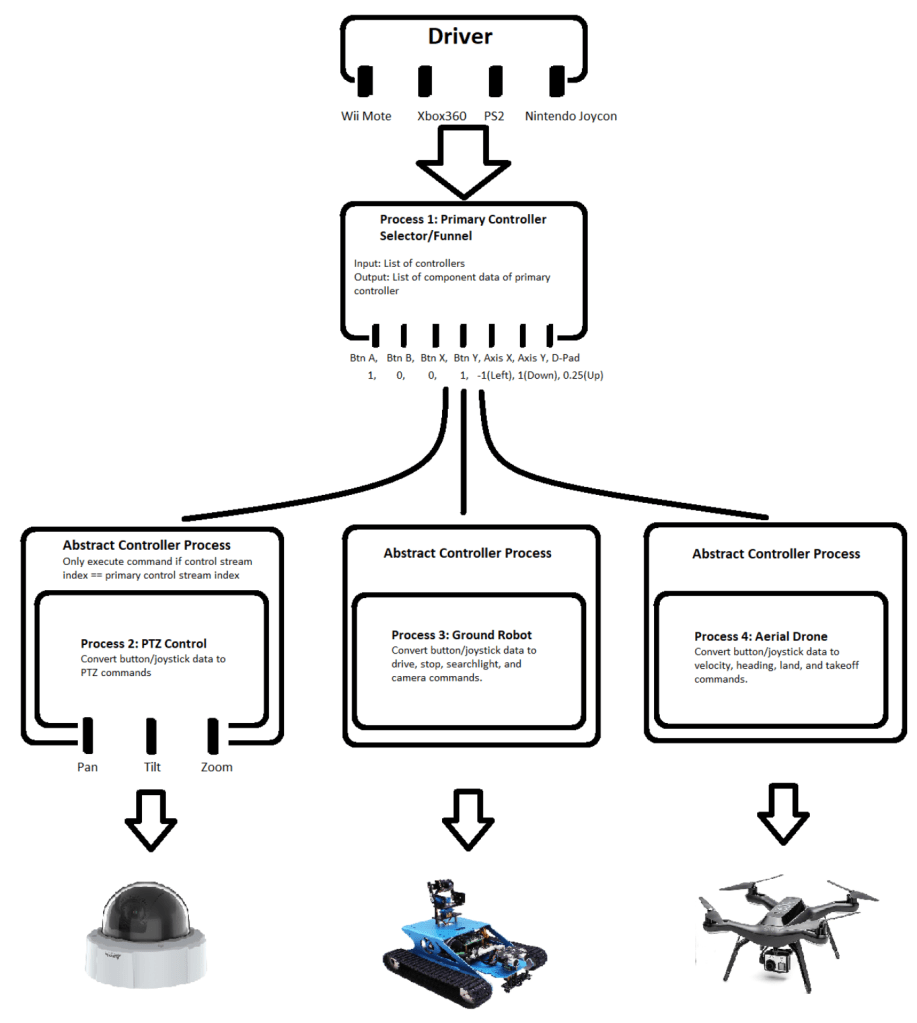
Using the SensorML process chains it allows the seamless device management and control of numerous sensor systems. Here is how it works:

  • Using the universal controller, we can connect HID devices to capture the user inputs like button presses and joystick movements. These controllers are the starting point for our process chain.
  • Once the universal controller captures the input from the device, it sends the data through the process and connects it to another sensor, say a PTZ camera. The process chain will interpret the controller input and translate it into specific movements of the camera; panning left or right, tilting up or down and zooming in or out. 
  • With process chains and the use of the Universal Controller we are able to switch between devices and sensors seamlessly. In the configuration of the controller, we are able to add a preset to be able to switch from controlling the PTZ camera to driving a robot to flying a drone, all with a simple press of a button on the gamepad. 

Using SensorML process chains and the Universal controller we can create a highly flexible and responsive system that allows a single controller to manage and task multiple types of devices.
Android Compatibility with OSH-Android

Using OSH-Android and a simple Java driver to map Android-attachable game controllers, we can integrate OSH, Android, physical controls, and an OSH-based client for visualizations. This means that we can have our controller and our client on the same system, all running OpenSensorHub! Does this seem familiar?

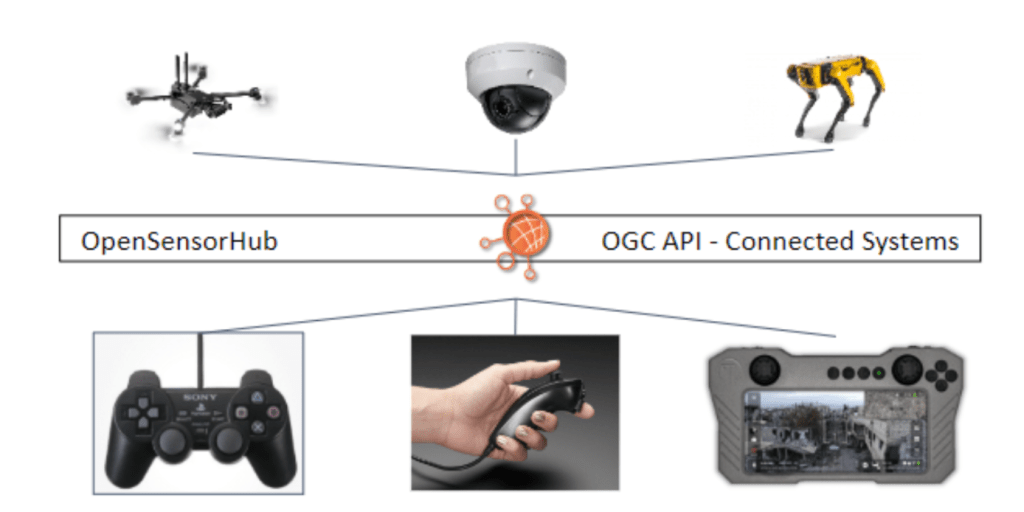
The easy-to-use intelligent systems implemented by OpenSensorHub allow us to emulate other commercial systems such as the Tomahawk Ecosystem, yet all in the open-source space. The great thing about OpenSensorHub and OGC API – Connected Systems is that this OSH ecosystem has unlimited potential and unlimited interoperability. Connected Systems allows this control-based ecosystem to interact with other OSH nodes and ecosystems around the globe, enabling the use of large-scale analytics, AI/ML, enhanced data processing, and infinitely more possibilities.
On Robotics Applications as Connected Systems with OpenSensorHub and ROS

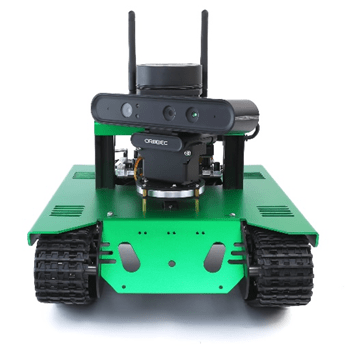
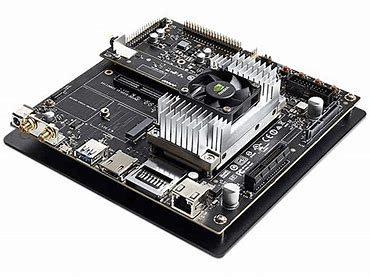
In the past, we wrote a brief article on OpenSensorHub (OSH) integration with robotics platforms where we used an inexpensive STEM platform (“Yahboom G1 AI vision smart tank robot kit with WiFi video camera for Raspberry Pi 4B”), stripped the software and wrote a completely OSH centric web-accessible services solution for monitoring and tasking the robot.  The entire software stack was hosted on the on-board Raspberry Pi. However, we were lacking the location-enabled and geographically aware aspects to this solution simply because we did not equip it with its own GPS unit.  We also explored running OSH on Nvidia Jetson cards and making use of the GPUs to improve the processing necessary to augment sensor observations with SensorML process chains making use of artificial intelligence, machine learning, and computer vision.  The ideal solution would be to combine the capabilities of the Robot Operating System (ROS) with OSH to create truly location-enabled, geographically aware, web-accessible robotics platform powered by Nvidia Jetson single board computer (SBC).  To this end we acquired another, albeit more expensive but not prohibitively so, STEM robotics platform – The Yahboom Transbot ROS package.  This system includes a SLAMTEC RP-Lidar A1 (2-dimensional), an Orbbec Astra Pro (RGB and Depth Camera), a wireless PS-2 like controller, and an Nvidia Jetson Nano with a hardware interface board.  This package includes prebuilt ROS-1 packages on Ubuntu 18.02 Linux and an optional downloadable smart phone app.  To complete the solution, we added a compatible GPS module that could be connected via USB to the SBC.

Unleashing Processing Power with OpenSensorHub and GPUs

OpenSensorHub allows for vertical and horizontal integration of systems where multiple OpenSensorHub enabled systems can be deployed and configured to share data. This can allow for vertical or horizontal integration to provide a network and hierarchy of systems, if needed, configurable to meet the desired objectives. OpenSensorHub allows for two distinct methods for such integration: SOS-T (Sensor Observation Service – Transactional) or Sensor Web Enablement Virtual Sensors. SOS-T allows for a push mechanism directly from sensors with network connectivity to an OpenSensorHub instance or for a “local” OpenSensorHub instance to push a sensor’s description and observations to a “remote” instance of OpenSensorHub. SWE Virtual Sensors, on the other hand, allow for a pull type mechanism where an instance of OpenSensorHub is configured to mirror one or more sensors on a remote instance of OpenSensorHub. To clients connecting with their “local” instance of OpenSensorHub the fact that the sensor is actually hosted and managed by a “remote” instance is of no consequence.

OpenSensorHub 2.0-beta1 Released

icon

Version 2.0 of OSH is well on its way and comes with a lot of fundamental changes to the core design as well as new Web APIs. Today we released v2.0-beta1 to all users so you can start testing this major release and provide us feedback. This version is available for download as a single zip archive from GitHub Releases, and the documentation is available here.

The main changes and improvements in this version are:

Robotics Applications Employing OpenSensorHub

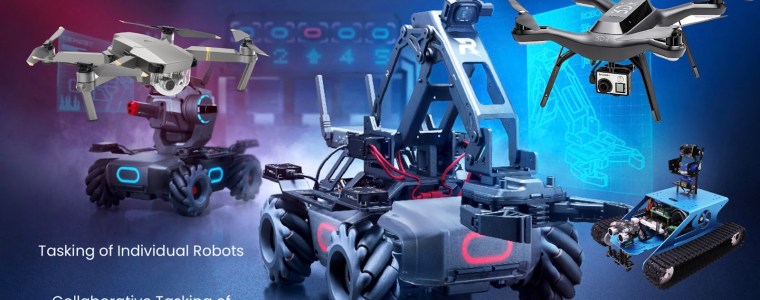
OpenSensorHub provides the world’s only complete implementation of the OGC’s Sensor Web Enablement standard, but it really is more than a standards-based sensor implementation, it is a framework for Sensors, Things, and Robots.  At Botts Innovative Research, Inc. we are often developing solutions for government and commercial customers alike in areas such as vertical and horizontal sensor integration, visualization, distribution, and discovery through OpenSensorHub; but every now and then we like to get in touch with our inner child and play.  In the past we have played with common off-the-shelf sensors such as the Microsoft Kinect to create point clouds and Raspberry Pi cameras to catch troublemaking cats, each illustrating the ability of OpenSensorHub to integrate a variety of sensors, platforms, processes, and single board computers into the SWE ecosystem.  On this occasion we wanted to play with robots!

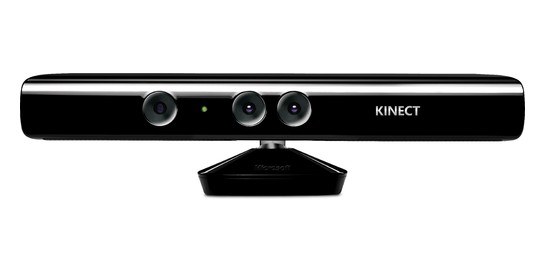
Kinect Support on RaspberryPi 3B+

What’s more fun than Kinect?

How about RaspberryPi with Kinect…even better RaspberryPi running OpenSensorHub controlling a Kinect! That is right OpenSensorHub now supports Kinect sensors on RaspberryPi.

What do I have to do to get this tremendous trio? Well simply download a distribution of OpenSensorHub, download, build, and install the OpenSensorHub Video addon from the addons repository in GitHub and enjoy.

We have added support for Kinect on OpenSensorHub using OpenKinect’s Libfreenect library built on RasperryPi 3B+ and an interface cable and power supply combo (IDS 1 Pc Xbox 360 Kinect Sensor USB AV Adapter) readily available online for about $10. So break out your Kinects and RaspberryPi’s and have some fun!

Installing OSH on Android (v.1.3.2)

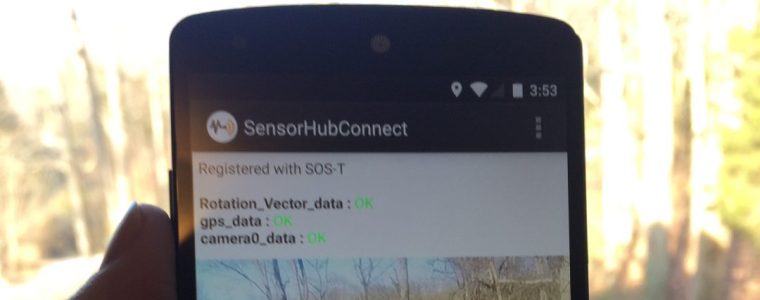
The OpenSensorHub (OSH) App (v 1.3.2) can be deployed on Android devices and can stream real-time observations from a phone or tablet to a remote OSH hub on the web. These observations can come from sensors on-board the Android device itself, for example:

  • video camera
  • GPS or network location
  • gyroscope, accelerometer
  • magnetometer
  • geospatial orientation

or from other sensors connected through USB or Bluetooth, such as:

  • FLIR Thermal Camera (USB)
  • TruPulse 360 Laser Range Finder (Bluetooth)
  • Health monitoring bands (Bluetooth)

This blog provides information on how to install and configure OSH (v.1.3.2) on the Android devise.

Kinect Support in OpenSensorHub

Microsoft Kinect has been around for some time and here at OpenSensorHub.org we decided to have some fun with this neat sensor platform.

New OSH release 1.3.2

osh-logo-notext-smVersion 1.3.2 of OSH has been released with many bug fixes and enhancements to the OGC service interfaces and security. This version is available for download as a single zip archive from GitHub Releases or as individual modules from our Bintray repository.

Please let us know what you think of this new release and, as always, don’t hesitate to report issues or ideas for enhancements on our GitHub issue trackers.


Samsung SmartThings Integration

What is SmartThings?

SmartThings is a technology used to create a connected home. At its core, SmartThings is a cloud-based service that interfaces with a user’s SmartThings hub. Its design allows for quick and seamless additions of many types of sensors to a home network. Devices connect to the hub using either the Z-Wave or ZigBee standard.

Why combine SmartThings with OpenSensorHub?

The two technologies appear to attempt the same thing, making the internet of things accessible. It seems then, that combining the two would only be redundant. This isn’t the case. SmartThings exists as a simple, easy to use, but somewhat closed system. Some types of sensors or sensor packages are not directly supported by SmartThings, even though it is extensible through its own API and web-based IDE. Also, the ability to customize the way data is viewed through SmartThings is limited in comparison to OpenSensorHub (OSH).

OSH builds now using Gradle

We decided to transition to Gradle as our build tool for all OpenSensorHub modules. We find Gradle much more flexible than Maven and build scripts easier to maintain, especially when it comes to incrementing versions of various modules in our ecosystem.

So building is now done using Gradle >3.1 rather than Maven, although we still rely on Maven repositories to fetch most of our dependencies.

For example, you can now build the core modules with the following commands:

$ git clone --recursive https://github.com/opensensorhub/osh-core.git
$ cd osh-core
$ ./gradlew build

You’ll need JDK8 (both OracleJDK or OpenJDK should work) in order to do the build yourself. Please see the Developer’s Guide for more details.

Fine-grained user permissions in OSH

The latest version of OpenSensorHub now gives fine-grained control over user permissions and other security options.

In addition to better support for HTTPS (SSL) and several authentication methods (HTTP Basic, HTTP Digest, X509 Certificate, OAuth) through simple configuration in the web admin interface, a hierarchy of permissions can now be defined by each OSH module needing some kind of access control. These permissions can then be assigned to users and roles using the security API. 

Video decoding in OSH JS Toolkit

One of the components provided by OSH Javascript Web Client Toolkit is a video viewer that can be used to visualize video streams produced by an OSH node (or other sources). The screenshot above shows the video player wrapped in a dialog and playing a raw H264 stream (including time stamps).

OSH Android App

OpenSensorHub can also be deployed on Android devices and we wrote an Android App to demonstrate that. OSH itself runs as an Android Service and the App configures and connects to this service to retrieve information. The current App is just an example of what can be done but it currently allows one to easily publish sensor data collected by the phone to a remote SOS-T (Transactional Sensor Observation Service) endpoint in real-time.

This includes streaming data from sensors that are present in most smart phones:

  • Video cameras (using either MJPEG or H264 codecs)
  • GPS or Network Location
  • Gyroscopes
  • Accelerometers
  • Magnetometers
  • Fused orientation (i.e. relative to the earth)

We also added support for a few external sensors that you can connect to the phone via USB or Bluetooth:

  • FLIR One Thermal Camera (USB)
  • TruPulse 360 Laser Range Finder (Bluetooth)
  • Angel Sensor Health Monitor (Bluetooth LE)

The screenshot below shows the menu where the different sensors can be activated:

The code for the Android App is hosted in the osh-android repository of our main GitHub account and we’ll release version 1.0 soon.

Current sensor and actuator support

OpenSensorHub support for new sensors and actuators is continuously being added  by the OSH Team and other contributors. In addition to providing support for specific sensors and actuators, we are also building helper capabilities to make it easier to bring in new sensor and actuator drivers (e.g. an Arduino library, support for various communication protocols, helper classes for certain sensor types such as video cameras and weather sensors).

Arduino Sensor Library


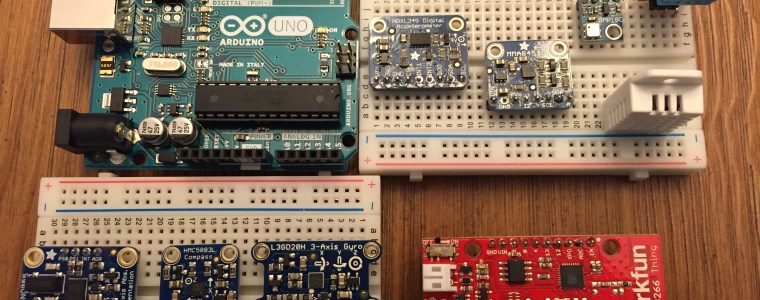
Using a combination of the OpenSensorHub (OSH) Arduino helper classes (https://github.com/opensensorhub/osh-arduino) and the Adafruit Unified Sensor Library ( https://github.com/adafruit/Adafruit_Sensor ), it is straightforward to develop drivers to enable all supported Arduino sensors to register with OSH SOS-T. Most took no more than 10-15 minutes to add.

When properly configured, these Arduino sensors can push observations to an OSH node over WiFi using the transactional components of an SOS service (SOS-T). Then all of the power of OSH is available, including storage, processing, and serving of the data through standard web or IoT interfaces.

To use supported Arduino sensors for OSH, one would:

  1. The SOS-T server which will receive the data, is referenced in the sketch within the newSOSClient method call. e.g. sos = new SOSClient(client, 192.168.0.25, 8181, /sensorhub/sos);  
  2. flash the Arduino “sketch” file for the appropriate sensor onto the board
  3. restart the Arduino board; it will then register with OSH and send observations until you power it off

Vaisala Weather Transmitter

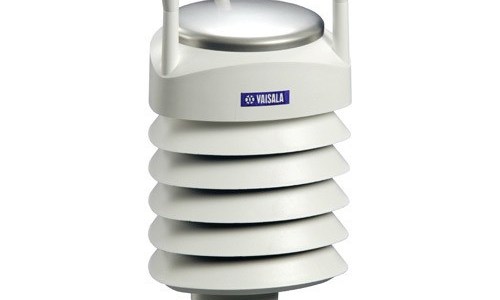
The Vaisala Weather Transmitter WXT520 is an advanced and highly-configurable system of weather sensors all in a single package. Because of its compact size, this weather transmitter is well-suited for dynamic field deployment as well as more permanent deployment, making it ideal for integration into the SensorWeb.

RPi GeoCams with OSH OnBoard

We require a suite of inexpensive, geospatially-aware, video cameras that could run OpenSensorHub (OSH) onboard and store and/or stream in real time, video and navigation data (i.e. location and orientation). The OSH team thus developed the GeoCam based on Raspberry Pi (RPi) using the RPi HD video camera, an Adafruit GPS (with or without antenna), and an Adafruit orientation sensor. (Build your own GeoCams following the recipe here).